


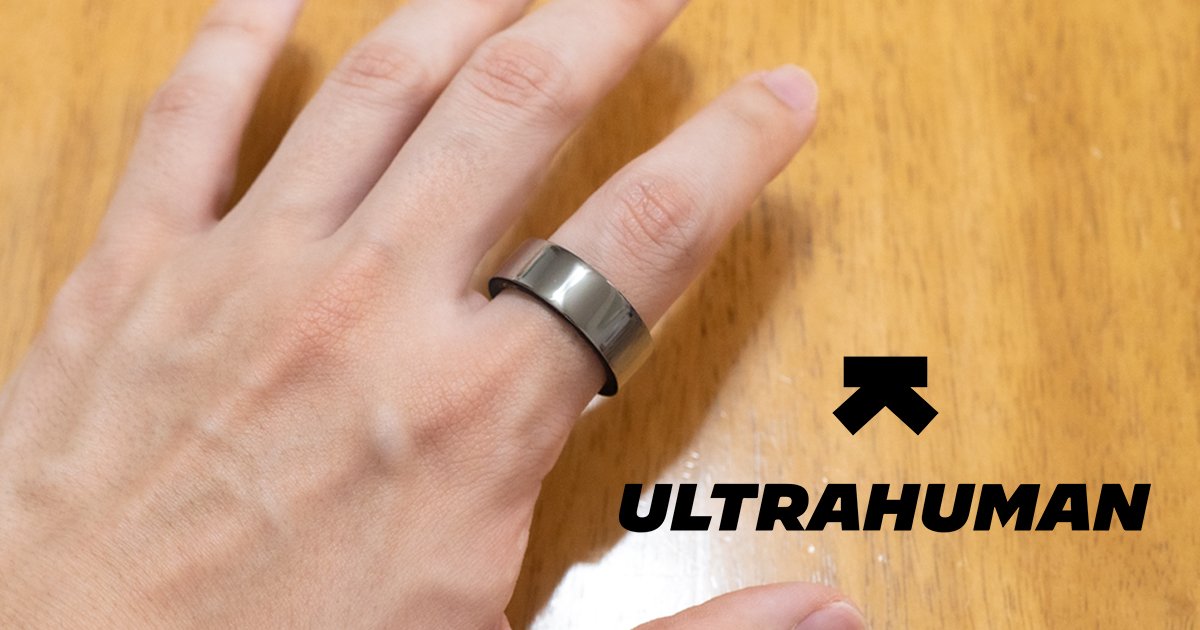
Do you ever feel like you just can’t focus during long gaming sessions or desk work? I certainly do.
A smart ring can visualize and analyze those vague feelings based on 24-hour monitoring.
In this review, we take a look at the Ultrahuman Ring AIR, a smart ring that doesn’t just record sleep, activity, recovery, and stress, but also integrates with unique features like blood test analysis!
Start by Sizing After Ordering!
Unlike wristwatches, rings don’t offer flexible size adjustmentshe norm, the standard process is to receive a free sizing kit after ordering, measure your finger, and specify your product size
Don’t assume you know your size just because you wear other accessories! Be careful.
Because smart rings have precision sensors embedded inside, the size often varies by product and manufacturer.
Be sure to use the sizing kit to measure the specific finger you intend to wear it on!
- Step 1: Try on a sample ring that fits on either your index, middle, or ring finger.
- Step 2: Wear it for at least two nights to ensure the sensor part doesn’t shift.
- Step 3: Choose your ring color.
- Step 4: Request the final product through the official app (this may vary depending on where you purchased it).
The steps are as listed above.
The Ultrahuman Ring AIR sizing kit also includes color samples.
While these dummies aren’t made of the same material as the actual product, they are much easier to visualize than a simple printout, which is very helpful.
Since this is not a cheap purchase, you definitely don’t want to mess this part up!
There are 10 sizes ranging from 05 to 14.
Wearing it on the index, middle, or ring finger is generally recommended
The sensor part on the inside of the ring has a slight protrusion, so you need to choose a size that ensures it stays in place when positioned on the palm side
The Ultrahuman Ring AIR Arrives!
And the product has arrived!
Let’s get right to unboxing it
While unboxing, let’s recap Ultrahuman.
Ultrahuman, the health tech company headquartered in Bengaluru, is often called India’s Silicon Valley.
In addition to the Ultrahuman Ring AIR smart ring introduced here, they also offer the following among other products and services deployed globally:
- Ultrahuman M1, which measures blood glucose levels in real-time.
- Ultrahuman Home, which monitors how your living environment affects your health.
- Blood Vision, a preventative blood testing service utilizing proprietary UltraTrace technology.
Among these, the smart ring is the most easily accessible in Japan.
It is available for purchase from the official Ultrahuman online store, as well as EC sites like Amazon.co.jp, Rakuten Ichiba, and Yahoo! Shopping.
It is also available at retailers such as Edion, Bic Camera, Yodobashi Camera, and Costco (at select locations)
The Ultrahuman Ring AIR we are reviewing today can measure over 25 items on its own!
I’ve been eagerly awaiting its arrival
- Ultrahuman Ring AIR unit
- Charging dock
- Charging cable (USB Type-C to Type-C)
- User manual
- Stickers
These are the contents.
Now, where should I stick these cool stickers?
The Device is Quite Smart
The outer material is titanium with a tungsten carbide carbon coating, offering excellent hardness and wear resistance.
I used it for about a month, and I couldn’t spot any scratches with the naked eye
On the other hand, the inner material uses a different component: hypoallergenic epoxy resin.
It is gentle on the skin, and the risk of allergic reactions is reduced.
Since you wear it nearly 24 hours a day, being gentle is a welcome feature
I chose the Aster Black color for the unit.
It has a color tone that layers black over silver, creating a look that is polished yet understated and very smart
The dedicated charging dock uses a USB Type-C connection.
It’s ready to go when the light glows purple
The light turns white when you place the ring on it
It’s fully charged when the battery indicator turns green.
Official documentation states that it takes 1.5 to 2 hours to go from 0% to 100%
When I tested it, it charged from 30% to 70% in 2 hours.
My results were slightly lower than the official claims, but since it depends on the adapter and usage conditions, please take this as a reference.
As I will mention later, battery consumption is very gradual, so if you charge it while bathing, for example, it won’t be an issue for daily use
Set It Up and Give It a Try!
For optimal device performance, you need to set it up correctly.
So, let’s start by installing the app!
Proceeding with the initial setup
First, select the product you are using.
In this case, it is the Ultrahuman Ring AIR
There was also an instruction here to connect the cable to the charging dock
Charging for at least 30 minutes is recommended out of the box for pairing
Give the app smartphone permissions and start pairing near the ring!
The product-specific serial number, color, and size were displayed.
If everything is correct, move on to the next step!
After entering personal information like height, weight, and age, the initial setup is complete.
The screen moves to the app’s home screen.
First, of course, start with the firmware update
Three Battery Modes
- Performance Mode: Operates all sensors at maximum intensity.
- Chill Mode: Focuses on tracking during sleep and rest, keeping the ring’s battery efficient.
- Power Saver Mode: Limits tracking to essential motion only to preserve battery life.
The ring offers three types of battery modes.
For a smartwatch, a mode that minimizes battery consumption is sometimes necessary, but since a smart ring is all about tracking, I tested only the top two modes
After wearing it for nearly 24 hours, the battery lasted for about 6.5 days in Performance Mode and about 8 days in Chill Mode.Performance Mode is high-rated as it seems sufficient for daily use
Plenty of Extensions
Now, while at it, let’s introduce an extension function called PowerPlugs.
In the in-app PowerPlugs store, you can find additional features that users can utilize according to their lifestyle and health goals.
Below are a few examples:
- Les Mills ($11.99/month): An exercise program from New Zealand. It automatically records your workout just by wearing the ring and following along with the video.
- Respiratory Health ($3.99/month): Analyzes nighttime breathing patterns and tracks how they affect your health condition.
- Vitamin D (Free): Manages Vitamin D intake through sun exposure.
- Screen Time (Free): Automatically calculates screen usage guidelines based on your daily lifestyle.
- Caffeine Window (Free): Advises on the optimal timing for consuming stimulants like caffeine.
There are a variety of options, from those you can use for free to those with a monthly subscription.
Since you can disable them later, you should definitely get the free ones for now
I’ll try enabling the Vitamin DPowerPlug.
First, select your skin type
Then, set your usual level of sun exposure and your Vitamin D goal
According to the app, 600 IU of Vitamin D per day is recommended, and intake methods include diet, sun exposure, and supplements.
Note that the Japanese Ministry of Health, Labour and Welfare’s “Dietary Reference Intakes for Japanese (2025 Edition)” also suggests a guideline of 9 micrograms = 360 IU
It then displays an estimated time for going outside, taking into account the weather based on your location.
If you have a habit of taking walks, keep this time as a guide while being careful about the estimated time of damage from sunburns and such
Actually Measures Over 25 Data Points!
Sleep
- Sleep Score
- Total Sleep Time
- Sleep Efficiency
- Time in Bed
- REM Sleep
- Deep Sleep
- Light Sleep
- Temperature Deviation
- Restorative Sleep
- Movement
- Morning Readiness
- Full Sleep Cycle
- Tossing and Turning
- Average Skin Temperature
Activity
- Movement Index
- Active Time
- Inactive Time
- Steps
- Active Minutes
- Weekly Active Minutes
Recovery
- Resting Heart Rate (RHR)
- Last Night HRV
- Sleep Stage HRV
- Recovery Score
- Temperature Deviation
- Stress Rhythm Score
- VO2 Max
PowerPlugs
- Phase Advance Steps
- Vitamin D
- Caffeine Intake
Here is the record of a certain day when I actually used it!
I did not manually enter any records from the app; everything was recorded automatically
You can tap the panels to check the changes in daily values through bar graphs and line charts.
However, this UI is slightly difficult to use, and it’s a bit of a shame that it’s easy to get lost, thinking, “Which screen am I on?” or “Where do I check that figure again…?”
Since the panels can be pinned, setting up the ones you refer to often in advance makes it more comfortable
Also, by introducing the separately sold Ultrahuman M1 or Ultrahuman Home, you can reference even more values.
I’m particularly curious about the room humidity, temperature, and carbon dioxide levels from Ultrahuman Home, as those are factors heavily related to healthcare
Trying Out the Blood Testing Service Blood Vision
Finally, I tried the blood testing service Blood Vision, which is aimed at preventative medicine and uses proprietary UltraTrace technology.
The official Ultrahuman website states it is not supported in Japan; however, the app functionality suggests otherwise
I recorded the test name and collection date, and proceeded to upload.
The report is in PDF format, and English is recommended
I happened to have a blood test within the last 3 months (take care of yourselves when feeling unwell!).
Impressed by the timing, I uploaded it as a simple PDF with images pasted, and moreover, kept in Japanese
I uploaded it at night, and the report arrived by the next morning!
Despite trying it as a long shot, it accurately captured the various values.
It pointed out the items that needed particular attention and suggested improvements
I received precise advice from the perspective of diet, supplements, and lifestyle, and I did a little dance because it actually worked.
However, the analysis is based on standard values different from those explained at Japanese hospitals, so please treat it as a reference only
I’ll eat some spinach tonight
Ultrahuman Ring AIR Records Your Daily Health Without Stress
Ultrahuman Ring AIR Product Page
I wore the Ultrahuman Ring AIR for about a month, and after the first few days, the discomfort of wearing it completely vanished; in fact, it started to feel uncomfortable when I wasn’t wearing it.
While it has more presence in size compared to a typical accessory ring, it weighs only about 3g.
It comes in a wide range of colors, has good design appeal, and just wearing the Ultrahuman Ring AIR can be a conversation starter—”What is that?”
Also, all basic functions of the app can be used without a monthly subscription, so the only necessary cost is the initial price of the device itself.
You can enable further healthcare capabilities by introducing PowerPlugs as needed
On the other hand, it felt a bit weak for active workouts, but many existing smart rings don’t make that their main selling point.
For example, there is a section to check your heart rate in the app, but there is a note saying, “We focus on Resting Heart Rate (RHR), which is recorded during sleep or when activity levels are low.”
It is best to consider the Ultrahuman Ring AIR as a device to help improve your lifestyle through the recording of daily life
The Ultrahuman Ring AIR is available now.
You can purchase it from the official Ultrahuman online store or various EC sites
| Specs Overview | |
|---|---|
| Name | Ultrahuman Ring AIR |
| Size | Width: 8.1mm Thickness: Approx. 2.45~2.8mm (varies by size) |
| Weight | Approx. 2.4~3.6g (varies by size) |
| Material | Outer: Titanium + tungsten carbide carbon coating Inner: Hypoallergenic epoxy resin |
| Connectivity/Sensors | Communication Standard: Bluetooth Low Energy (BLE5) Biometric Sensor: Infrared Photoplethysmography (PPG) sensor Temperature Sensor: Non-contact skin temperature sensor Motion: 6-axis motion sensor Optical Sensor: Red LED, Green LED, Infrared LED |
| Battery | Capacity: 24mAh (Lithium polymer, non-replaceable) Battery Life: Up to approx. 6 days Charging Time: Approx. 1.5~2 hours (0→100%) |
| Compatibility | Supported OS: iOS 15 or later, Android 6 or later |
| Others | Features: Automatic firmware update via app Safety: EMF radiation safety |
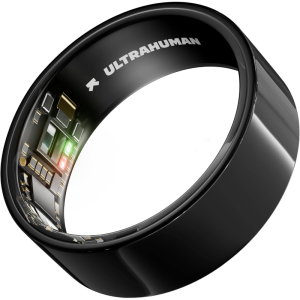
Ultrahuman Ring AIR
Search on Amazon.comSearch on WalmartSearch on BestBuy
Search on Amazon.caSearch on BestBuy
Search on Amazon.com.auSearch on Woolworths
Search on Amazon.sgSearch on ShopeeSearch on Lazada
Search on Amazon.sgSearch on ShopeeSearch on Lazada
Search on ShopeeSearch on Lazada
睡眠や活動量、リカバリー、ストレスなどを記録するだけでなく、血液検査の分析などユニークな機能も搭載した「Ultrahuman Ring AIR」をレビュー!
