



You May No Longer Need An Apple Watch To Track Your Workouts With iOS 27
By José AdornoJuly 11, 2026 11:47 am EST
Apple’s commitment to the Apple Watch is still huge. However, over the years, it has given users other ways to track workouts, which is especially great for customers who don’t like to wear a watch while training or can’t get accurate data due to tattoos. With iOS 27, Apple is expanding even further the ability for customers to get important health data from their workouts with the iPhone and gym equipment. That said, there’s also another important component to get the most out of your <a href="https://healthylife7.com/a-neurologist-shares-1-exercise-you-should-try-to-outsmart-brain-aging/” title=”A neurologist shares 1 exercise you should try to outsmart brain aging”>exercises, which is the AirPods Pro 3.
With iOS 27, expected to be released later this September, Apple is expanding the GymKit functionality, as AirPods Pro 3 users can sync heart rate data through the iPhone. With that, GymKit no longer requires an Apple Watch around, and an iPhone and AirPods Pro 3 will do. Basically, you can tap your iPhone directly onto an NFC reader on a compatible cardio machine to initiate a GymKit workout session. The iPhone will get all the equipment’s data, like speed, incline, distance, and pace, while the AirPods Pro 3 will be measuring your heart rate. This gives a more accurate understanding of your workout effort and how you’ve been responding to the treadmill’s elevation, faster pace, and more.
iPhone and AirPods Pro 3 is a more powerful combo than you imagine
José Adorno/BGR
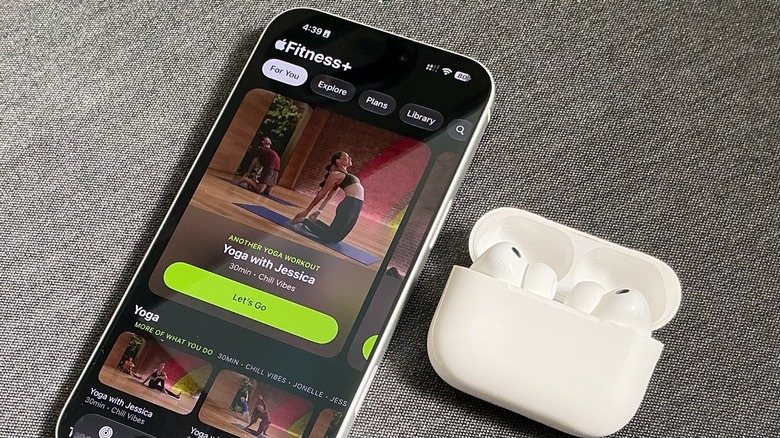
While the new GymKit support only comes later this year with iOS 27, iPhone and AirPods Pro 3 users can already take advantage of other ways to workout without an Apple Watch on. For example, if you’re an Apple Fitness+ subscriber, you can use your iPhone and AirPods to practice yoga, HIIT, dance, and many other activities. Thanks to the heart rate monitor present in each AirPods earbud, Apple can get important information to estimate calories burned and perceived effort
This way, doing yoga without the watch, performing a dance session, and so on can still generate workout data even without the Apple Watch’s heart rate sensor. For those who love running, you can even run with just your iPhone and AirPods Pro 3. In this case, the data collection is similar: The iPhone will be responsible for your pace, elevation gains, and total distance, while the AirPods will check how your body responds to the effort.
Is iOS 27 trying to make you ditch the Apple Watch?
José Adorno/BGR
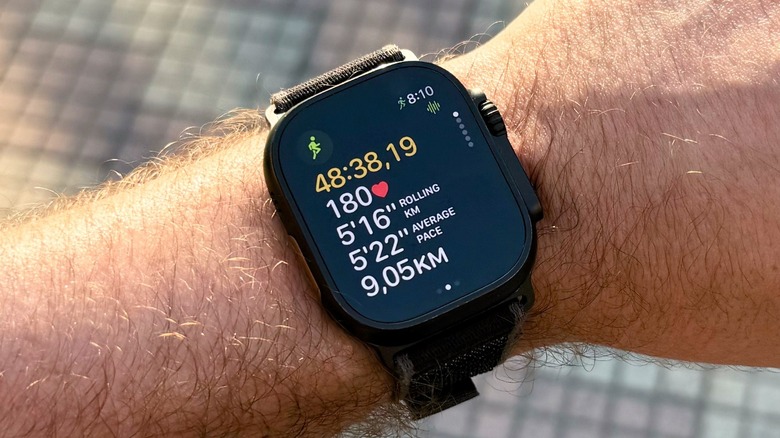
Quite the contrary. With watchOS 27, Apple is improving indoor walk and run workouts with new algorithms that can better reflect your movements, effort, and pace on a treadmill. Another big watchOS 27 feature makes Workout Buddy function without your iPhone, which once again brings the freedom of exercising with just an Apple Watch and AirPods. That said, what’s happening here is that Apple is trying to offer users with more options to get their workouts done
This strategy started to take shape when Apple announced that customers could enjoy Apple Fitness+ with only the iPhone. While the company was trying to lure more subscribers, this created a path for more users to enjoy one of the best fitness services available. And with the release of Powerbeats Pro 2 and AirPods Pro 3, Apple now brings more accurate heart rate data, as instead of users relying on a single sensor, Apple assesses in real-time which device is the best source with the better coverage to provide that information to users.
